
Detect Custom Issues in Android Apps
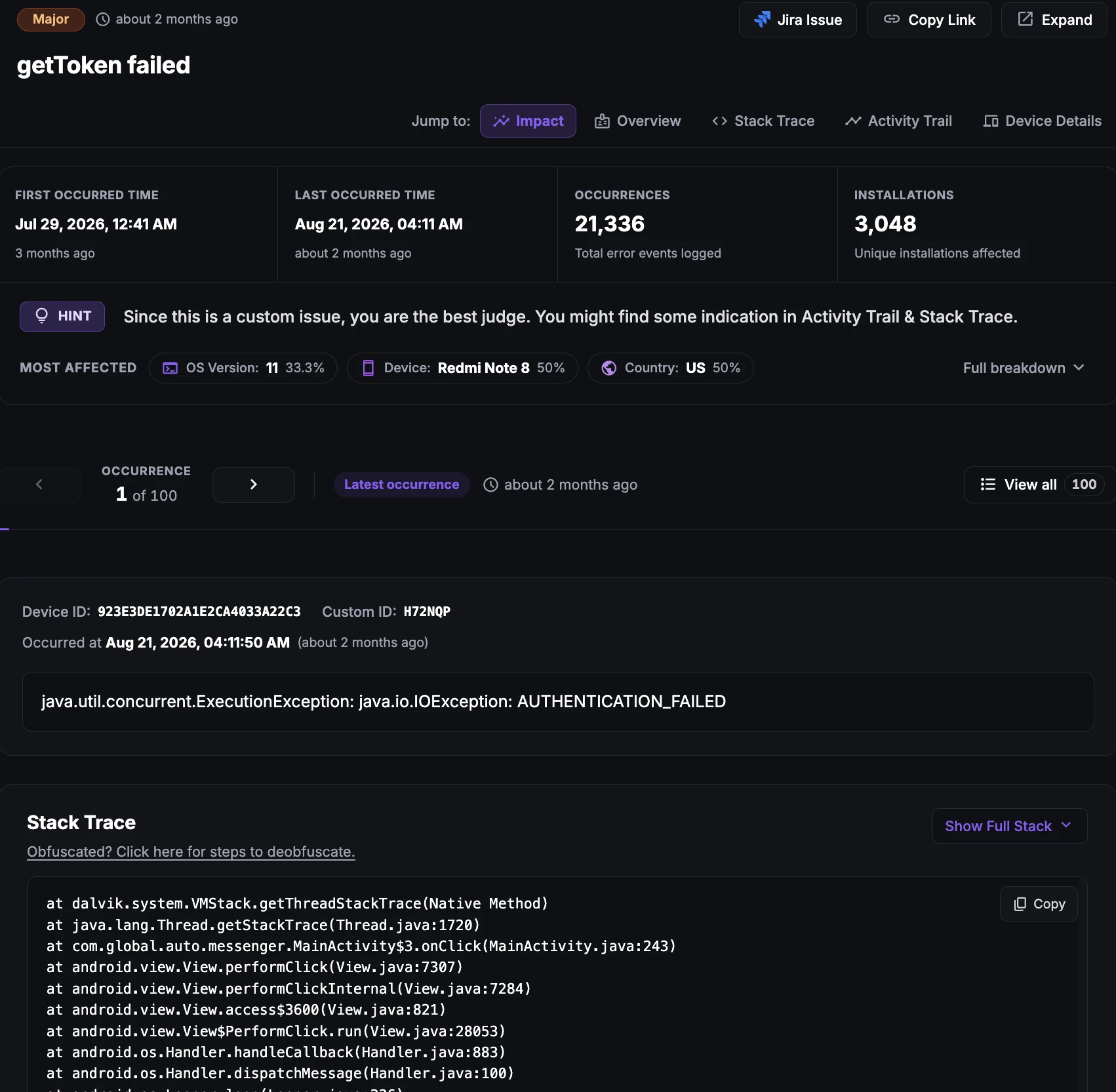
Custom issues in Android apps
Custom issues in Android applications refer to fail conditions that can be anticipated by the developer. These issues may not necessarily cause the app to crash, but they can negatively impact the user experience. Examples of custom issues include slow network connectivity, server unavailability, or an invalid user input.
Developers can use a single line API provided with the SDK to report these issues in their Android apps. By reporting custom issues, developers can proactively identify and address potential issues before they negatively impact the user experience.
Why does this happen?
Custom issues in Android applications can arise due to a variety of reasons. Some common examples of custom issues include:
Payment failures: Transaction processing failures, gateway errors, or failed checkouts.
Login errors: User authentication failures, invalid credentials, or session timeouts.
Slow network connectivity: High latency, dropped packets, or cellular/Wi-Fi transitions.
Server unavailability: Server crashes, timeouts, or backend service outages.
Invalid user input: Inputs that do not match expected validation patterns.
Hardware compatibility issues: Issues specific to particular device models or hardware limits.
How to fix it using Appxiom
- Locate issue report: An issue report for custom issues in Android applications typically includes a description and detailed description of the issue, set by the developer.
- Trace activity trail: In addition, the report may include an activity trail that provides chronological information about the events leading up to the issue. By analyzing the description and detailed description, as well as reviewing the activity trail, developers can identify the necessary data points to help diagnose and fix the issue.
Stop guessing. Start fixing.
Get real-time alerts, exact stack traces, and complete activity trails before these issues impact your revenue.
Related Issues & Failure Guides
Detecting and fixing ANR (App Not Responding) in Android apps
Detect Android ANR issues and main-thread UI freezes in real time. Appxiom helps engineering teams identify, prioritize, and resolve ANRs before user churn.
Detecting and Fixing Cold Start Delay in Android Apps
Detect and fix cold startup bottlenecks to accelerate Android launch speed. Analyze launch-time traces, init dependencies, and startup delays effectively.
Detecting and fixing Crashes in Android apps
Monitor and fix Android app crashes in real time. Appxiom captures full stack traces, device state, and user trails to accelerate root cause debugging.
We use cookies to improve your experience.