
Android Frozen Frames Detection & Fix Guide
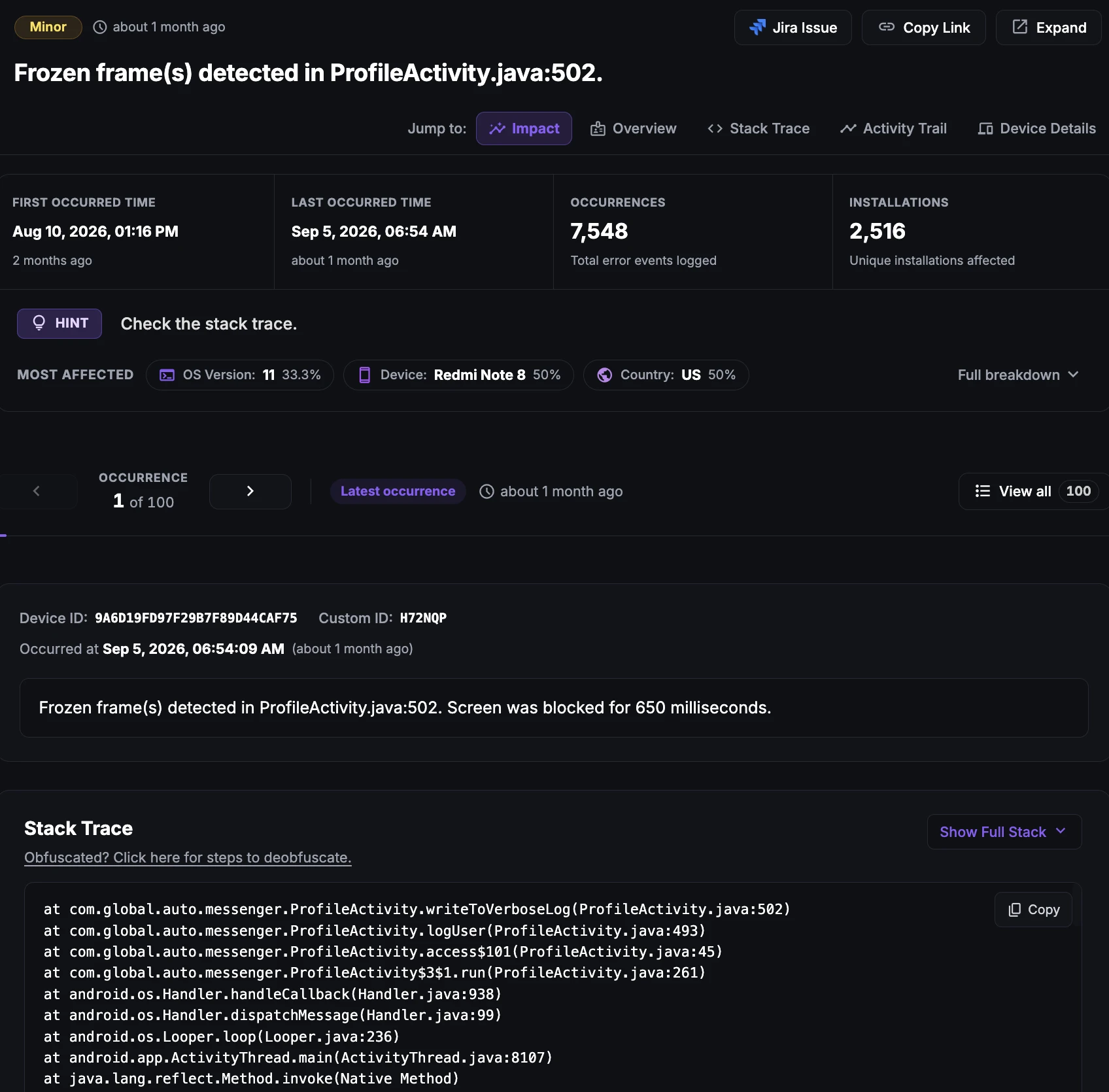
What is Frozen Frames in Android apps?
Frozen Frames refer to the state when the frame(s) of an app becomes unresponsive or stops updating for 700 ms or more. This state negatively impacts the user experience, as it makes the app appear unresponsive or frozen.
Why it matters
When an app enters a Frozen Frame state, the system UI becomes unresponsive, and the app's UI appears to be stuck or frozen. The user cannot interact with the app, and the app does not respond to touch or other input events. It is essential for developers to be aware of this issue and optimize their apps to prevent Frozen Frames from occurring.
Why does this happen?
Frozen Frames in Android applications can occur due to several reasons, primarily when the app is putting excessive strain on the main thread. This can happen when an app is performing a complex calculation, trying to render heavy drawables, or processing large amounts of data on the main thread.
These actions consume a significant amount of processing power and can cause the main thread to become unresponsive, resulting in Frozen Frames and a poor user experience.
How to fix it using Appxiom
- Analyze stack trace: The issue report provides the stack trace of the UI thread. The UI thread stack trace will point to the line of code that triggered the issue. Techniques such as offloading long-running tasks to a background thread, optimizing resources, or implementing better memory management techniques can help prevent these issues.
Stop guessing. Start fixing.
Get real-time alerts, exact stack traces, and complete activity trails before these issues impact your revenue.
Related Issues & Failure Guides
Detecting and fixing ANR (App Not Responding) in Android apps
Detect Android ANR issues and main-thread UI freezes in real time. Appxiom helps engineering teams identify, prioritize, and resolve ANRs before user churn.
Detecting and Fixing Cold Start Delay in Android Apps
Detect and fix cold startup bottlenecks to accelerate Android launch speed. Analyze launch-time traces, init dependencies, and startup delays effectively.
Detecting and fixing Crashes in Android apps
Monitor and fix Android app crashes in real time. Appxiom captures full stack traces, device state, and user trails to accelerate root cause debugging.
We use cookies to improve your experience.