
Fix Crashes in Kotlin Multiplatform Apps
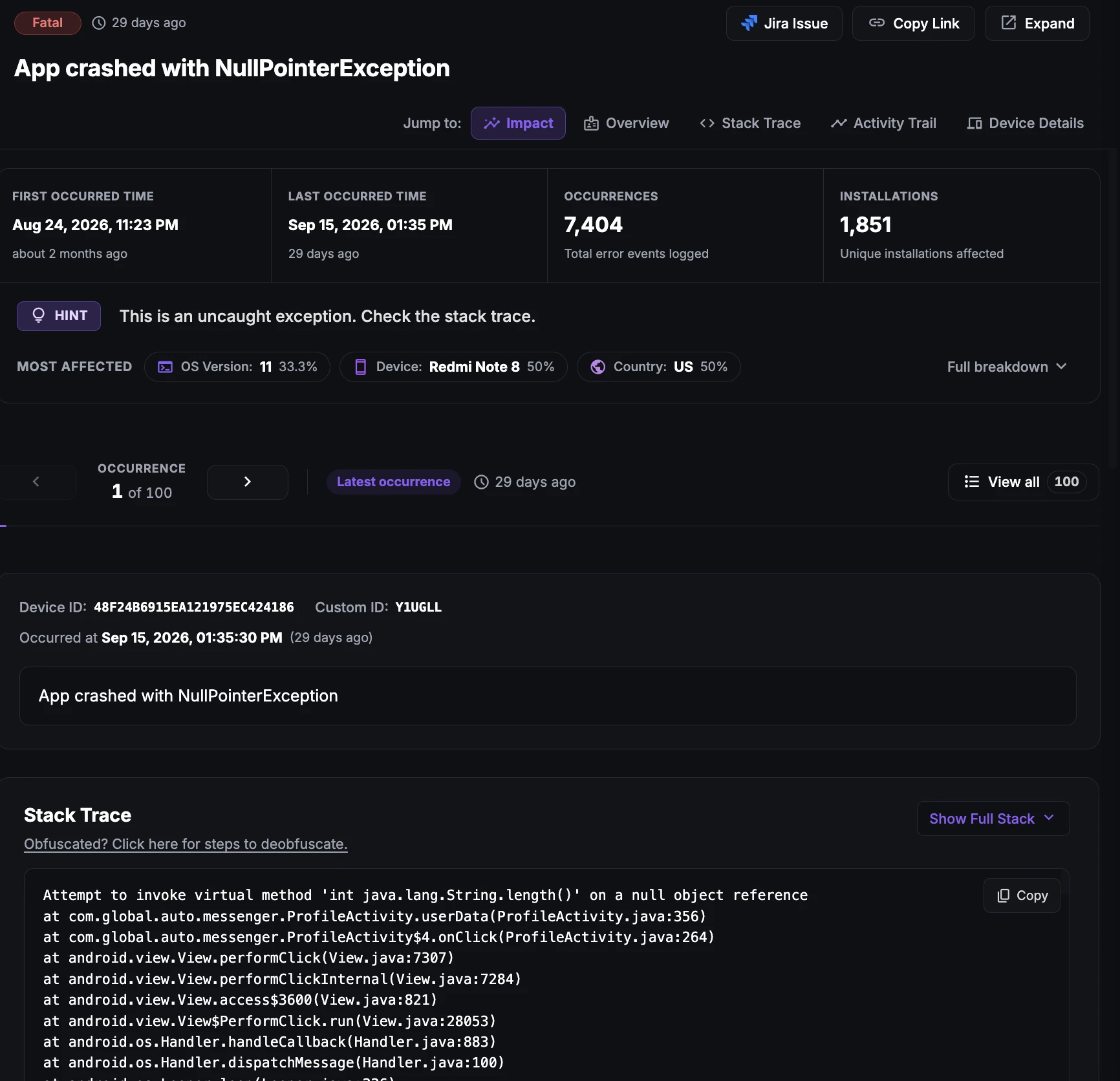
Crashes in Kotlin Multiplatform apps
A crash is an unexpected termination of the app. In a Kotlin Multiplatform (KMP) app the same shared Kotlin code runs on two very different runtimes: the JVM-based Android runtime and Kotlin/Native on iOS. A bug in shared code can therefore crash both the Android and the iOS build, but the crash looks different on each platform.
On Android, an uncaught exception from shared code produces a familiar Kotlin or Java stack trace. On iOS, the same exception is raised inside the Kotlin/Native framework and terminates the process, so the crash report has to connect native frames back to the Kotlin source to be useful.
Because one shared module serves both apps, a single crash in common code can affect every user on every platform at once, which makes fast detection and clear stack traces especially important.
Why does this happen?
Crashes in KMP apps usually come from a handful of causes:
Unhandled exceptions in shared code: Exceptions thrown in commonMain that are never caught will terminate the app on both Android and iOS.
Exceptions crossing into Swift: Kotlin functions called from Swift that throw an exception not declared with @Throws cannot be turned into a Swift error, so the iOS app terminates instead of handling it.
Uncaught coroutine exceptions: A failure inside a coroutine launched without a CoroutineExceptionHandler or a proper scope propagates up and crashes the app.
Platform differences in expect/actual code: An actual implementation that behaves differently on Android and iOS, for example a null value, missing permission or unsupported API on one platform, can fail on only one side.
Memory pressure: OutOfMemoryError on Android or memory termination on iOS when shared caches, images or large payloads grow without limits.
Serialization and data errors: Unexpected or missing fields in API responses that make kotlinx.serialization throw at runtime.
How to fix it using Appxiom
- Analyze stack trace: The issue report includes the crash name, reason and stack trace from Android or iOS, helping you pinpoint the exact line in shared or platform code. Upload mapping and symbol files as described in the release and symbolication guide to get readable traces.
- Trace activity trail: The report also includes the activity trail, a chronologically ordered list of screens, network calls and events that happened before the crash, so you can see how the user got there on either platform.
- Catch coroutine and handled errors: Crashes are captured automatically once
Ax.init(Android) andAx.startIOS(iOS) are called. AddAx.coroutineExceptionHandlerto your coroutine scopes and useAx.reportErrorfor caught exceptions, as described in Crash & Error Reporting for KMP.
Stop guessing. Start fixing.
Get real-time alerts, exact stack traces, and complete activity trails before these issues impact your revenue.
Related Issues & Failure Guides
Fix ANR in Kotlin Multiplatform Apps (Android)
Detect ANRs in the Android build of KMP apps. Find runBlocking calls, main-dispatcher work and slow I/O in shared code that freeze the UI thread.
Fix App Hangs in Kotlin Multiplatform Apps (iOS)
Detect main-thread hangs in the iOS build of KMP apps. Pinpoint blocking calls from Swift into shared Kotlin code and slow Compose Multiplatform rendering.
Fix High Memory Usage in Kotlin Multiplatform Apps
Monitor abnormal memory growth in KMP apps on Android and iOS. Find unbounded caches and long-lived scopes in shared code before out-of-memory crashes.
We use cookies to improve your experience.