
Fix Custom Issues in Kotlin Multiplatform Apps
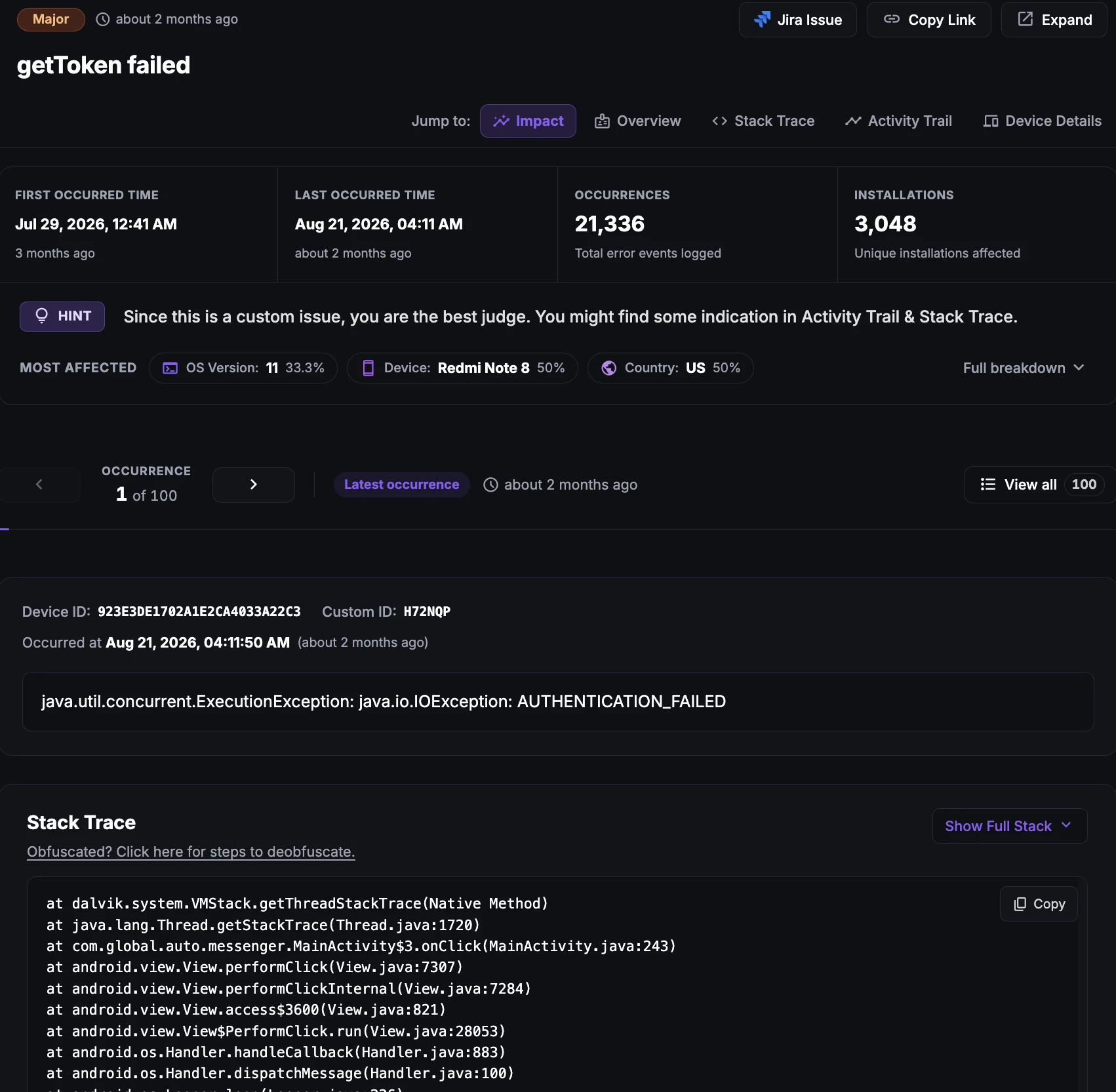
Custom issues in KMP apps
Custom issues are failures that only make sense for your app. You define them based on your business logic and expected user flows, for example a checkout that does not complete or a sync that silently fails.
They do not crash the app, so standard crash reporting misses them, but they can hurt revenue and user trust just as much.
In Kotlin Multiplatform (KMP) apps, most business logic lives in shared code, so you can report a custom issue once in commonMain and track it for both the Android and iOS apps.
Why does this happen?
Custom issues cover any failure your team defines, for example:
Payment failures: A transaction does not complete because of a declined card, a gateway error or a network failure.
Login errors: A user cannot sign in because of wrong credentials, a suspended account or an authentication server problem.
Sync and data errors: Local data fails to sync, or the server returns data the app cannot use.
How to fix it using Appxiom
- Report it from shared code: Call
Ax.reportIssuewithwhere,descriptionanddetailedDescription. Issues with the samewhereanddescriptionare grouped into one issue. - Trace activity trail: The issue report shows your description and details together with the activity trail, so you can see what the user did before the failure and fix it.
- Set it up: See Activity Trails & Logging for KMP and Crash & Error Reporting for KMP.
Stop guessing. Start fixing.
Get real-time alerts, exact stack traces, and complete activity trails before these issues impact your revenue.
Related Issues & Failure Guides
Fix Crashes in Kotlin Multiplatform Apps
Detect crashes from shared Kotlin code on Android and iOS, including uncaught coroutine exceptions and Kotlin/Native crashes, with full stack traces and trails.
Fix ANR in Kotlin Multiplatform Apps (Android)
Detect ANRs in the Android build of KMP apps. Find runBlocking calls, main-dispatcher work and slow I/O in shared code that freeze the UI thread.
Fix App Hangs in Kotlin Multiplatform Apps (iOS)
Detect main-thread hangs in the iOS build of KMP apps. Pinpoint blocking calls from Swift into shared Kotlin code and slow Compose Multiplatform rendering.
We use cookies to improve your experience.