
Report Handled Errors in Kotlin Multiplatform Apps
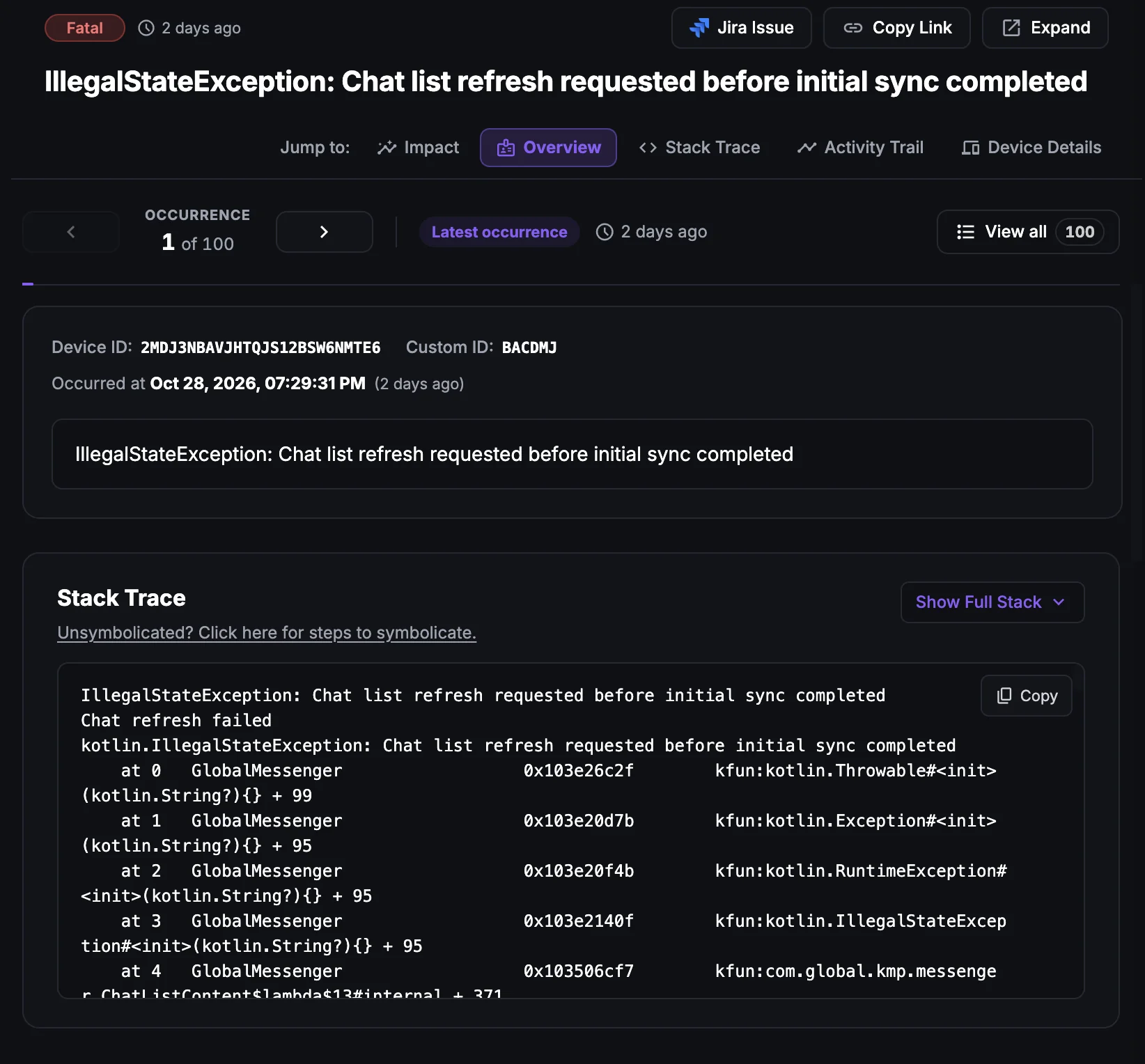
Handled errors in KMP apps
A handled error is an exception your code catches, so the app keeps running instead of crashing. In a Kotlin Multiplatform (KMP) app these errors are usually caught in shared code, for example in a repository, a use case or a payment flow, and they happen on both the Android and the iOS app.
Because the app does not crash, crash reporting never sees them. The user still hits a failure, such as a payment that did not go through or a screen that shows no data, but without reporting your team has no stack trace and no idea how often it happens.
Reporting handled errors gives you the same visibility you get for crashes, while the app stays usable for the user.
Why does this happen?
Handled errors in KMP apps usually come from:
Failed operations in shared code: A payment, checkout, upload or sync that throws an exception inside a try/catch block.
Network and serialization failures: API calls that fail or return data that cannot be parsed into the shared models.
Platform-specific failures: An actual implementation that throws on one platform only, for example a missing permission or an unavailable API.
Invalid state or input: Unexpected values that your code detects and recovers from instead of crashing.
How to fix it using Appxiom
- Report it from the catch block: Call
Ax.reportErrorwith the caughtthrowable. Setfatal = trueif the error should be treated as fatal in dashboard severity filters (the default isfalse), and passcustomInfowith context such as an order ID. - Analyze stack trace: The issue report includes the exception's stack trace and the
customInfoyou attached, so you can find the exact line that failed on Android or iOS. - Trace activity trail: The activity trail shows the screens, network calls and events before the error, so you can see what the user was doing.
- Set it up: See Crash & Error Reporting for KMP.
Stop guessing. Start fixing.
Get real-time alerts, exact stack traces, and complete activity trails before these issues impact your revenue.
Related Issues & Failure Guides
Fix Crashes in Kotlin Multiplatform Apps
Detect crashes from shared Kotlin code on Android and iOS, including uncaught coroutine exceptions and Kotlin/Native crashes, with full stack traces and trails.
Fix ANR in Kotlin Multiplatform Apps (Android)
Detect ANRs in the Android build of KMP apps. Find runBlocking calls, main-dispatcher work and slow I/O in shared code that freeze the UI thread.
Fix App Hangs in Kotlin Multiplatform Apps (iOS)
Detect main-thread hangs in the iOS build of KMP apps. Pinpoint blocking calls from Swift into shared Kotlin code and slow Compose Multiplatform rendering.
We use cookies to improve your experience.